Inventory Counts Made Simple

Conduct professional stock counts using your own mobile devices and Quantal’s intelligent inventory counting solution
  • Use your own staff
  • No dedicated scanners
  • Live visibility
  • Accurate results

Three Powerful Applications. One Seamless Stocktake Solution.

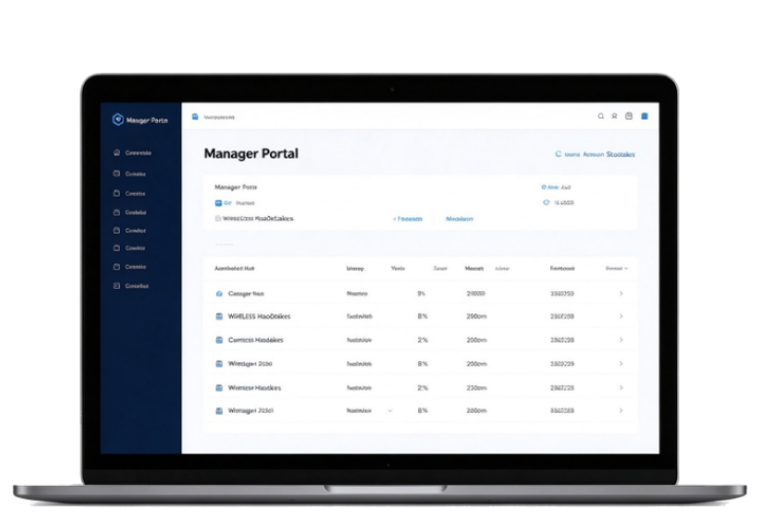
Administrator Portal

  • Plan, schedule and prepare your inventories
  • Oversee multiple inventories in real time
  • Analyse and compare site results
Administrator Portal inventory schedule

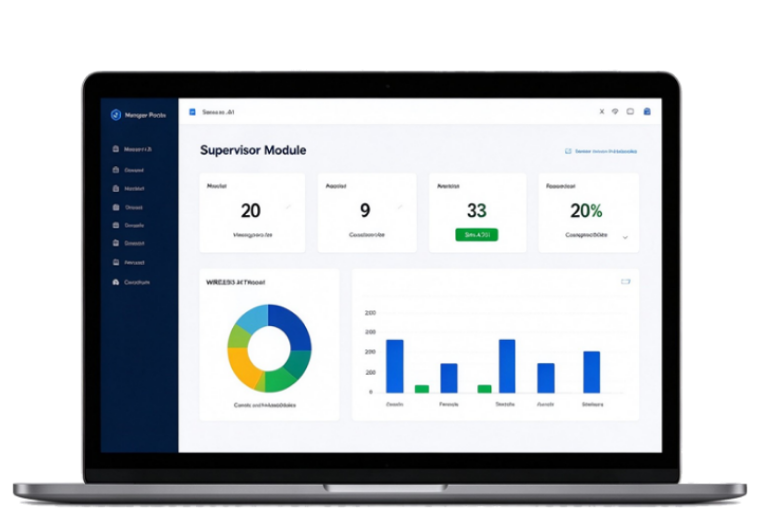
Supervisor Portal

  • Best practice fast and accurate processes designed by experts
  • Professionally control and monitor each site inventory
  • Update products, locations and counters in real time
  • Systematically check your counts and interface with your ERPs
Supervisor Portal live inventory dashboard

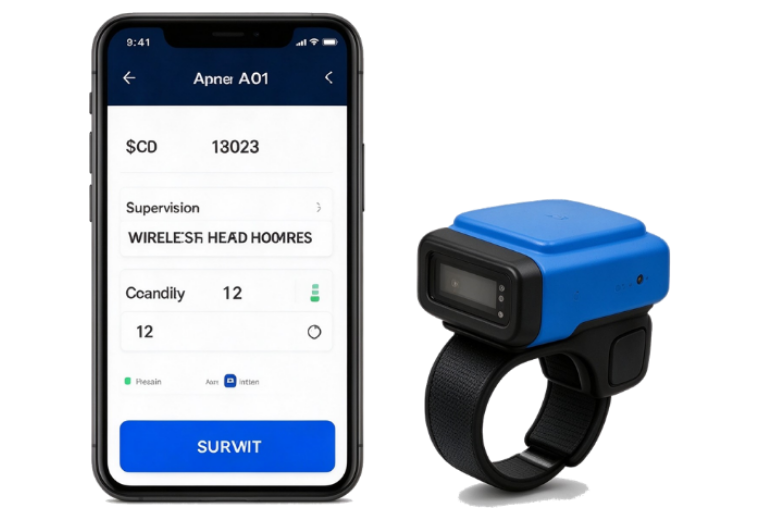
Counter Devices

  • Use your own mobile devices (Android and iPhone)
  • Buy or rent our Bluetooth ring scanners for higher productivity
  • Talk to us about using your own dedicated devices if you wish
Count app on a phone with a ring scanner
Use your own site people to count
Use your own mobile devices (Android & iPhone)

Can collect data off-line and uses your own site's WiFi

Monitor and control multiple inventories in real time

Capture multiple fields using 1D and 2D barcodes

Use professional reports or create your own

Modern cloud based design, using intuitive, fast and elegant interfaces

Secure and reliable using MS Azure scalable processing and data storage

Why Customers Choose Quantal

DIY Inventory Flaws

Your ERP or POS inventory module is not fit for purpose:

  • Often uses slow and error prone stock sheets
  • Doesn’t support multiple languages
  • Requires limited and expensive third-party handheld devices
  • Is slow, clunky and difficult to use
  • Is not specialised or developed by inventory experts

Your people are limited by the process:

  • Counters are bored, confused and make errors
  • Supervisors can’t manage site processes efficiently, miss stock locations and let count errors slip through
  • Administrators can’t oversee multiple inventories, verify the processes and trust the results
  • Auditors lose confidence in the process and require expensive sampling before sign-off
Third-Party Inventory Flaws

It’s expensive:

  • You pay for their handhelds, counters, travel and margins — it is simply cheaper to do it yourself using your local people
  • Their processes are not always transparent or best practice

Third-party counters:

  • Don’t know the site and easily miss stock
  • Don’t know the stock (they scan the wrong code or count the wrong units)
  • Either lack motivation and the care factor, or are only interested in speed (APH) and not accuracy
  • Are not available when you need them — at financial year end or on a specific date
  • You can’t accurately budget because your rates vary with inventory size
Quantal Inventory Fixes

It is cost effective:

  • A low monthly fee gives you portal access to schedule, report and analyse
  • An up-front inventory fee allows you to plan and budget before your inventories
  • You schedule your events whenever you want — 24/7
  • If you want advice or help with setup, we charge low rates and are available 24/7

It uses best practices:

  • Your people know your sites and stock best
  • Powerful mobile devices are readily available
  • Designed by inventory experts with decades of field experience

Quantal intelligent solutions are:

  • Logical and simple to learn
  • Available in English, Chinese and Japanese
  • Scalable, secure, enterprise level, global systems

A Simple, Proven Workflow

Use Quantal to schedule for speed, supervise for accuracy and report for insight

  1. 1. Plan & Schedule
  2. 2. Import Products
  3. 3. Allocate People
  4. 4. Choose Location
  5. 5. Count Fast & Accurately
  6. 6. Verify and Correct Errors
  7. 7. Securely Check & Close
  8. 8. Report & Export to POS/ERP
  9. 9. Analyse All Inventories

Ready to modernise your inventory process?

Book a demonstration today and see how Quantal can transform your next stocktake.

Book a Demo